

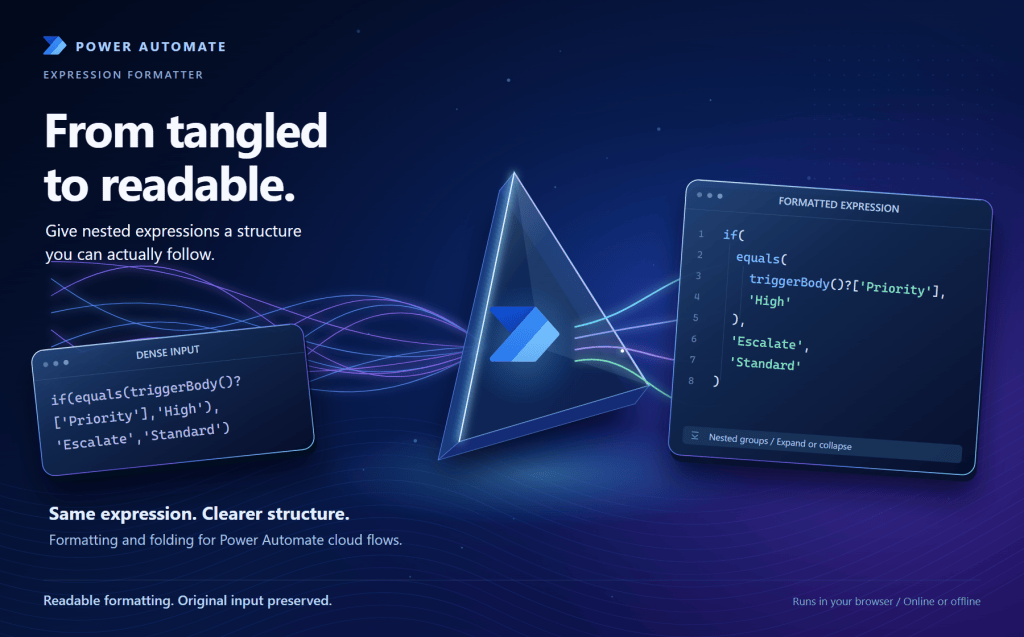
Long, nested Power Automate expressions are hard to read, troubleshoot, and hand off. This browser-based formatter makes them easier to understand and explain.
TL;DR
Need a better way to work with long Power Automate expressions?
The Power Automate Expression Formatter is a browser-based tool that formats and folds complex cloud-flow expressions, shows function hints, flags structural and argument issues, and generates conservative plain-English explanations of recognized logic.
It runs locally in your browser, supports light and dark themes, and can be used online or downloaded as a single offline HTML file. No installation is required.
Community-built by Aaron Kuhn with AI-assisted development. Not an official Microsoft product, and not endorsed or supported by Microsoft. This is a pilot release.
Get the Tool
Try the formatter in your browser, or download the single HTML file to use it offline.
The download is a single HTML file with no installer. It runs entirely in your browser, and nothing you paste is uploaded.
- Source and guide: View the source, usage guide, and MIT license
- Report an issue or give feedback: Open a GitHub issue. Include the tool version, your browser, and a small sanitized expression. Issues are public, so do not include credentials, customer data, or private flow details.
Table of Contents
- Why This Tool Matters
- What the Tool Does
- Worked Example
- Core Features
- Privacy and Security Considerations
- Practical Usage Scenarios
- Limitations and Design Boundaries
- Business Value
- Lessons Learned
- Future Enhancement Opportunities
Why This Tool Matters
Expressions are among the most powerful parts of Power Automate, and among the hardest to maintain at scale. As flows evolve, expressions become deeply nested and difficult to validate visually. The common friction is not creating expressions. It is understanding and maintaining them later:
- What does this expression actually do?
- Why is this condition failing?
- Where is the syntax issue in this nested logic?
- Can we hand this flow to another team without losing intent?
The native Power Automate editor is built for authoring. When an expression grows very long, a dedicated tool for readability and troubleshooting fills a gap for makers, admins, and architects. This tool covers cloud-flow expressions written in Workflow Definition Language (WDL).
What the Tool Does
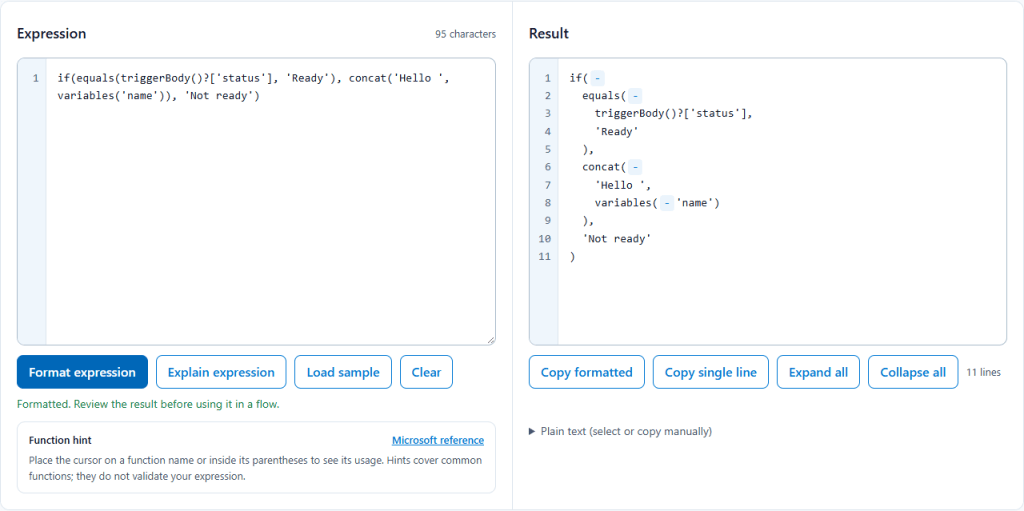
- Paste an expression into the left editor, or select Load sample.
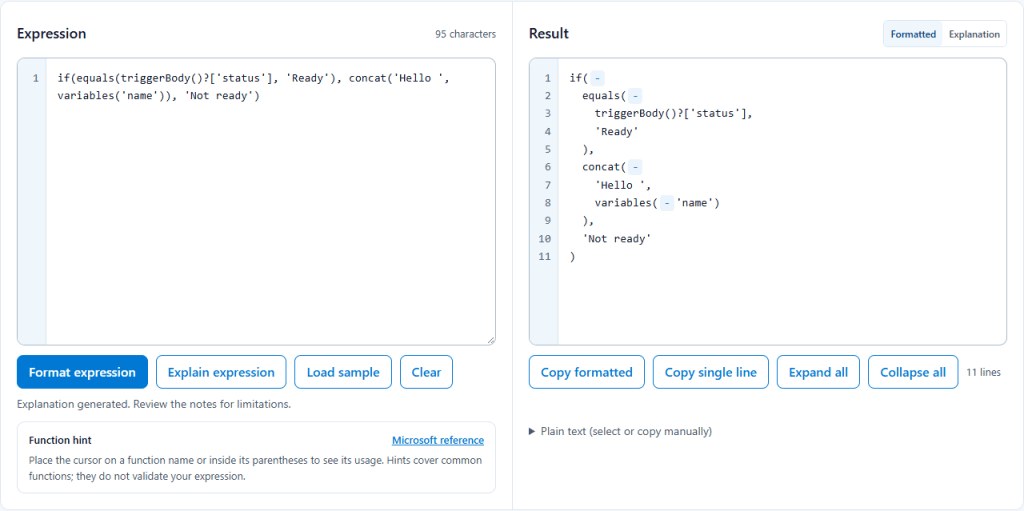
- Select Format expression (or press Ctrl+Enter) to produce readable multiline output.
- Expand or collapse nested groups to focus your review.
- Inspect function hints and diagnostics.
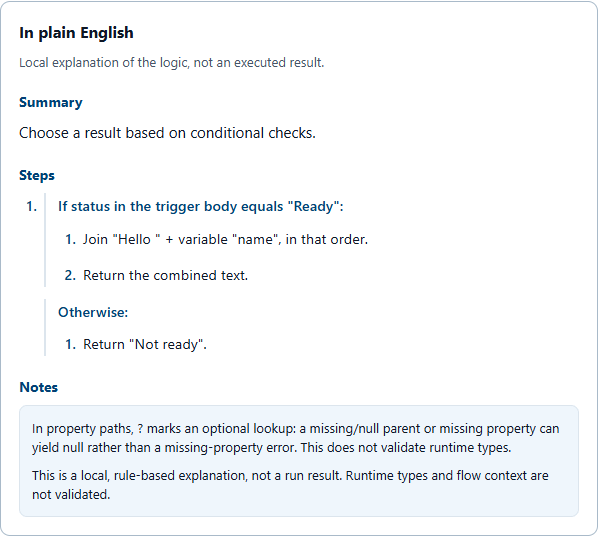
- Select Explain expression for a plain-English Summary, Steps, and Notes for recognized patterns.
- Copy back either the formatted or single-line version.
Formatting does not change your input, so you can compare the original and the result before reusing either in a flow.
Worked Example
This expression returns a message when a trigger email is present and a lookup returned items. It is typical of what becomes hard to read when it sits on one line.
Before (as pasted):
if(and(not(empty(triggerOutputs()?['body/Email'])),greater(length(body('Get_items')?['value']),0)),concat('Found ',string(length(body('Get_items')?['value'])),' items for ',toLower(triggerOutputs()?['body/Email'])),'No match')
After (Format expression):
if( and( not(empty(triggerOutputs()?['body/Email'])), greater( length(body('Get_items')?['value']), 0 ) ), concat( 'Found ', string(length(body('Get_items')?['value'])), ' items for ', toLower(triggerOutputs()?['body/Email']) ), 'No match')
Explain expression produces this summary for the same input:
- Summary: Choose a result based on conditional checks.
- Steps: Set length to the number of items in
valuein the body from action “Get_items”. Set the condition result to true when the trigger’sbody/Emailis not empty AND length is greater than 0. If true, join “Found “, the length as text, ” items for “, and the lowercase email, then return the combined text. Otherwise, return “No match”. - Notes: The tool explains that
?marks an optional lookup and that this is a local, rule-based explanation rather than a run result. Runtime types and flow context are not validated.
Core Features
Readable formatting with fold/unfold support
Long expressions are reformatted with consistent indentation and collapsible groups so you can isolate specific sections. Use Expand all and Collapse all to change every group at once. Copy actions include collapsed sections.
Diagnostics for real troubleshooting
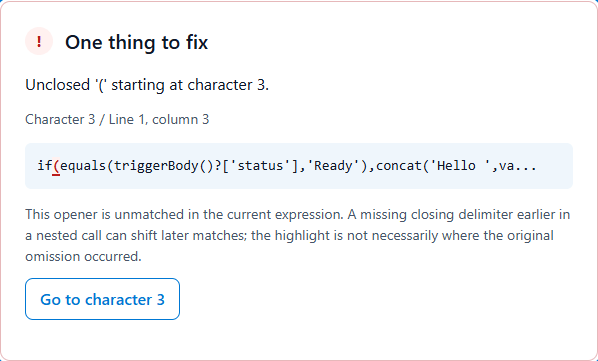
The tool surfaces structural errors, incorrect argument counts for cataloged functions, and empty argument slots. These block formatting, explanation, and copying. Unknown functions produce warnings, not errors, because they may be valid functions missing from the tool’s catalog. A compact, movable issue overlay with Previous and Next navigation lets you step through each issue.
Function hints and contextual guidance
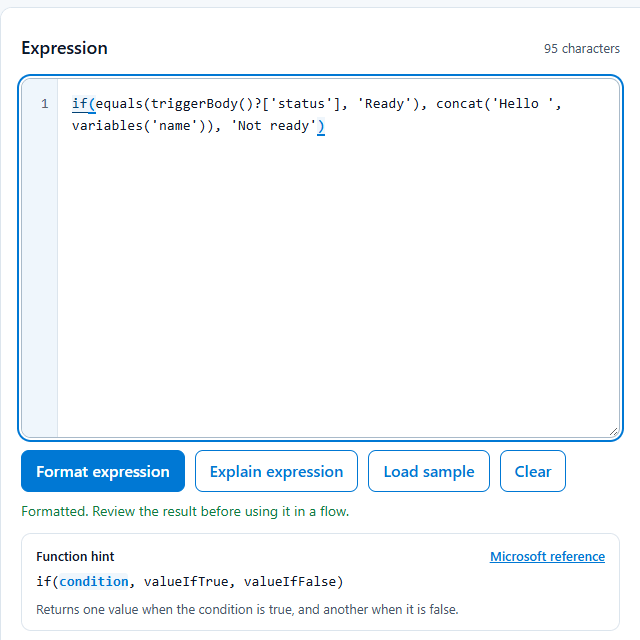
When the cursor is on a recognized function, the tool shows its signature, guidance, and a link to the Microsoft reference. Hints cover common functions and do not validate your expression.
Matching parenthesis highlighting
Place the cursor directly before an opening or closing parenthesis and the tool highlights its matching partner, along with the function name it belongs to. In deeply nested expressions, this makes it easy to see where a function starts and ends, and it helps you spot a missing or extra parenthesis before you format.
Plain-English explanation view
Explanation mode produces a concise Summary / Steps / Notes view to help with documentation, review, and handoff conversations.
Copy modes for different use cases
Copy formatted keeps the readable layout. Copy single line gives a compact version for pasting back into a flow.
Light and dark theme support
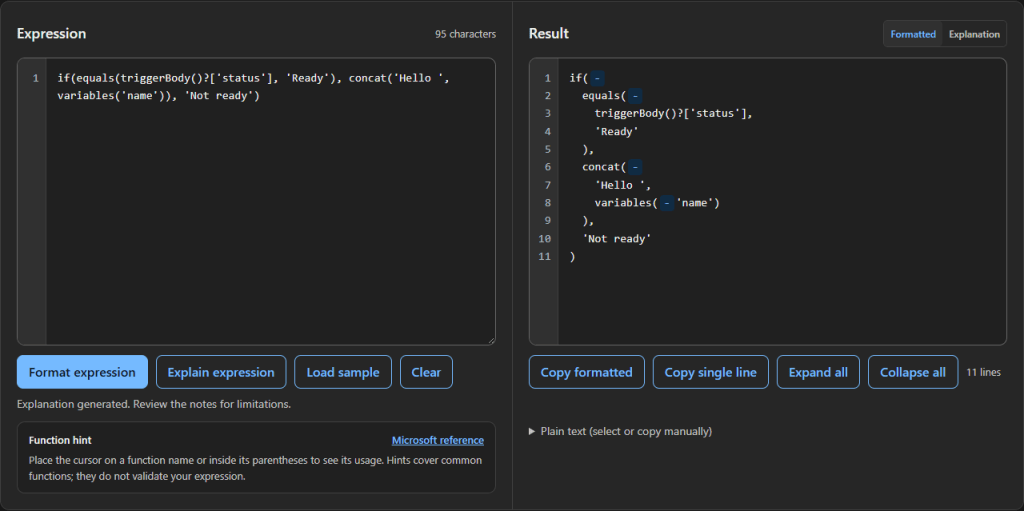
The tool includes a light theme and a Fluent Graphite dark theme, controlled by a sun/moon switch. Your choice is remembered for 30 days.

Privacy and Security Considerations
- Expression processing happens in your browser. The tool does not upload expressions, use analytics, or call an external service to format or explain them.
- The downloaded HTML file is self-contained and needs no internet connection to run.
- Opening the online version downloads the application from GitHub Pages, so GitHub’s hosting policies apply to that page load. Your expression is not part of that request.
- Only your chosen theme and its expiry are saved in browser storage, never your expression.
- Microsoft reference links open external documentation only when you select them.
You can confirm this behavior yourself by viewing the page source (the application is a single HTML file) or watching the Network tab in your browser developer tools while you format. As with any troubleshooting workflow, avoid placing sensitive production data in shared screenshots or public issue threads.
Practical Usage Scenarios
- Reviewing inherited flows with dense nested expressions.
- Supporting peer code reviews and architecture walkthroughs.
- Explaining expression behavior to less technical stakeholders.
- Producing cleaner documentation and operational handoff notes.
- Speeding up triage when an expression change introduces a regression.
Limitations and Design Boundaries
This tool is for Power Automate cloud-flow expressions (WDL). It is not a Power Fx editor, and it does not format entire flow definitions or JSON documents.
- It does not execute expressions, connect to your flow, or check that referenced actions or variables exist.
- It does not fully validate types, values, or runtime behavior.
- It does not infer business context.
- Explanation output is rule-based, runs locally without an AI service, and is intentionally conservative.
- No errors or warnings is not a guarantee that an expression will run successfully.
Always review and test in your target environment before production promotion.
Business Value
For organizations running automation at scale, expression clarity affects reliability and supportability. Better readability and diagnostics can reduce troubleshooting time, improve maintainability, speed handoffs, and lower the risk of misunderstood logic.
The formatter is also self-contained and does not call AI services, so the downloaded file has no external service dependency to review. It has been tested in Commercial, GCC, GCC High, and DoD environments. Your organization’s policies still determine whether you may use it, so confirm that before use.
Lessons Learned
- Usability details (navigation, diagnostics, copy behavior, visual hierarchy) matter as much as formatting itself.
- How you separate warnings from errors strongly affects trust and adoption.
- Theme and readability choices affect sustained use, not just appearance.
- Self-contained distribution (a single HTML file) removes adoption friction.
Iterating on feedback from colleagues who tried earlier versions produced better results than designing for assumptions.
Future Enhancement Opportunities
- Broader function coverage over time.
- Optional export of explanation output for documentation workflows.
- Additional diagnostics for common authoring pitfalls.
- Structured before/after comparison views.
- Highlighting the matching parenthesis when the cursor is directly after a closing parenthesis.
Have a request? Open an issue on GitHub.
Acknowledgements
A special thank you to my colleague Tim Darius, whose question about whether a pretty-print tool existed for Power Automate expressions sparked the idea for this tool.
Community-built by Aaron Kuhn with AI-assisted development. Not an official Microsoft product.

Leave a Reply