


Welcome back, tech enthusiasts and Power Platform aficionados! It’s that time of the month again where we dive into the exciting world of Microsoft Power Platform and Dynamics 365. We know you’ve been eagerly waiting to hear about the latest updates and enhancements that can supercharge your productivity and take your business to new heights. Well, fret no more because we’ve got you covered!
In this month’s update, Microsoft has once again raised the bar with a plethora of game-changing features and improvements. Did we mention 2024 release wave 1 is now GA? Whether you’re a Power Apps user, a Dynamics 365 enthusiast, or just someone who loves staying on top of the latest tech trends, there’s something here for everyone. So, buckle up and soak in the latest updates! Oh, and spring might be here too!
Interested in the services our team offers? Find them here.
- Featured News
- Deprecations and Retirements
- Dataverse (legacy) connectors
- Dynamics 365 for phones and tablets will be deprecated
- ISV Studio is deprecated
- DLP resource exemption feature
- Omnichannel for Customer Service on Unified Service Desk is deprecated and will be removed in October 2025
- Omnichannel for Customer Service agent-facing app is deprecated and will be removed in June 2024
- Product Updates
- Copilot for Sales Adoption Recommended Resources
- Preferred solution is now Generally Available
- Introducing inline actions
- Announcing General Availability of built-in Dataverse offline for canvas apps
- Microsoft Copilot and Power Apps transforming how people engage with apps
- Introducing new copilot answer control (Public Preview)
- Introducing the modern list for Power Pages
- March 2024 update of Power Automate for desktop
- Introducing Power Fx in desktop flows
- Simplify your work with Table rules in Microsoft Loop
- Building your own copilot with Copilot Studio
- Troubleshoot – Generative answers don’t return results
- Building digital trust in Microsoft Copilot for Dynamics 365 and Power Platform
- Introducing timeline highlights powered by generative AI
- Customize the Opportunity Close form in Dynamics 365 Sales
- Learning Corner
Featured News
2024 Release Wave 1 Launch
On April 10 we launched the 2024 release wave 1 for Microsoft Dynamics 365 and Microsoft Power Platform, a rollout of new features and enhanced capabilities slated for release between April and September 2024. These updates include new Microsoft Copilot capabilities across Dynamics 365 and Microsoft Power Platform—as well as role-based extensions of Copilot for Microsoft 365—that transform business processes with natural language processing, AI-generated insights, and assistance with time-consuming tasks.
Microsoft Power Platform Conference
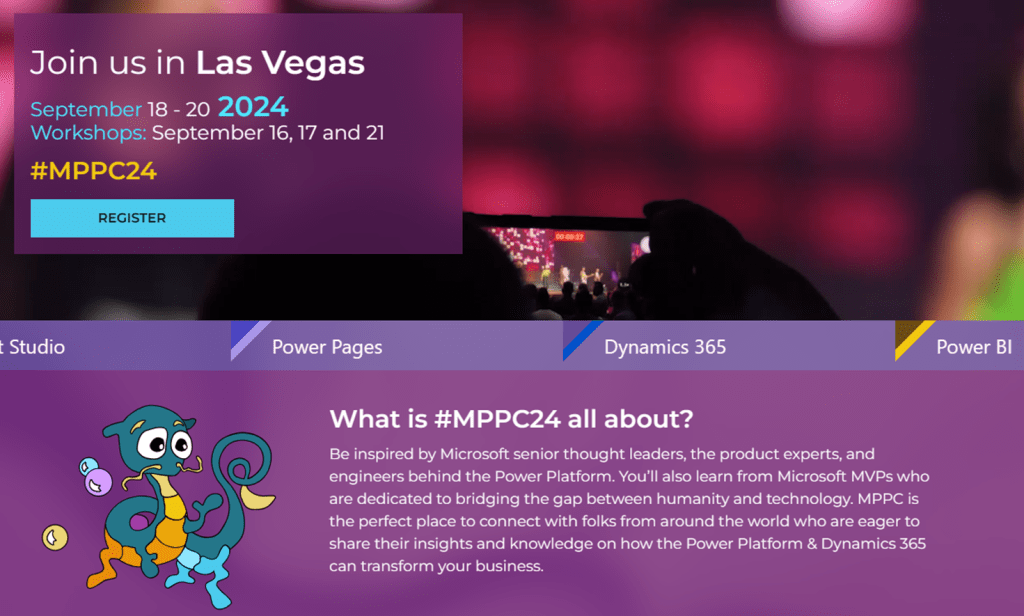
Learn more, including info about the Early Bird special!
Microsoft Build

Save the date
In Seattle and Online: May 21-23, 2024
Learn from experts, get hands-on with AI, and make connections with peers, Microsoft engineers, and industry leaders. Mark your calendar.
AI in CRM and ERP systems: 2024 trends, innovations and best practices
The time has come to think about AI as something much more than a technological tool. It’s a strategic imperative for 2024 and beyond. In this new year, adopting CRM AI for marketing, sales, and service and ERP AI for finance, supply chain, and operations is crucial to competing and getting ahead.
All signs indicate that in the years to come organizations will continue to find new, innovative ways to use CRM AI and ERP AI—and that their employees will embrace the shift.
Deprecations and Retirements
Dataverse (legacy) connectors
Microsoft Dataverse (legacy) connector is deprecated and replaced with the Microsoft Dataverse connector. The legacy connector will continue to work in existing flows until a final date is announced in 2024. You’ll have one year from the date of announcement to move to the Microsoft Dataverse connector. For new and existing flows, customers should use the Microsoft Dataverse connector instead.
As of January 2024, most flows using the legacy connector are recommended for migration with the exception of flows using “When a row is selected” trigger or triggering based on changes in other environments. An update will be shared in 2024 on the Public Preview and GA timelines for these to be supported in the Microsoft Dataverse connector.
Dynamics 365 for phones and tablets will be deprecated
Effective April 2024, Dynamics 365 for phones and tablets (iOS and Android) will be deprecated for online users. Online users must migrate to the Power Apps mobile app or appropriate Dynamics 365 mobile apps such as Dynamics 365 Sales mobile app or Field Service app. Dynamics 365 for phones and tablets will continue to function for existing installations until a retirement date is announced. The Power Apps mobile app provides updated capabilities, a modern user experience, and fast load times.
ISV Studio is deprecated
ISV Studio is an analytics portal that shows limited install data for ISV solutions built on Dynamics CE or Power Platform and deployed from AppSource. It also provides an another access point to the connector certification wizard.
As of April 1, 2024, ISV Studio is deprecated. We notified existing users to notify them about this change. Users can still view analytics related to their solutions and access the connector certification wizard until May 31, 2024.
DLP resource exemption feature
Effective March 2024, the data loss prevention (DLP) resource exemption feature is deprecated for tenants that have never used it before. By October 2024, the resource exemption feature will be deprecated for all customers.
Omnichannel for Customer Service on Unified Service Desk is deprecated and will be removed in October 2025
Effective April 4, 2024, Omnichannel for Customer Service on Unified Service Desk is deprecated. Support is available until April 2025. The app will be removed from all environments by October 2025.
Omnichannel for Customer Service agent-facing app is deprecated and will be removed in June 2024
Effective April 2023, the Omnichannel for Customer Service agent-facing app is deprecated. Support is available until June 2024. We recommend that you migrate your omnichannel configuration to Customer Service workspace. More information: Migrate from Omnichannel for Customer Service to Customer Service workspace
Product Updates

Copilot for Sales Adoption Recommended Resources
- NEW – Drive Sales Copilot adoption tailored by role – Microsoft Copilot for Sales – Microsoft Adoption
- NEW – Subscribe to Copilot Tips Time for Sellers to adopt with fun CopilotTipTime
- Stay connected on roadmap updates subscribing to Copilot for Sales roadmap videos
- Monthly update Copilot for Sales blog.
- NEW – User experience changes with release of Copilot for Sales
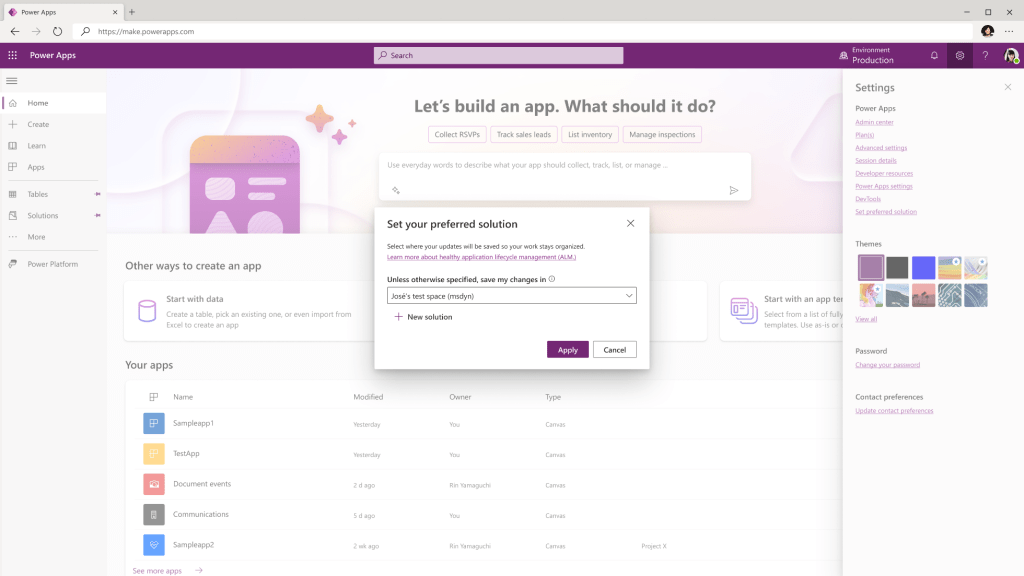
Preferred solution is now Generally Available
Exciting news for Microsoft Dataverse makers! Preferred Solution is now Generally available. This feature empowers makers to control which solution their unmanaged customizations should be saved in, making it easier to manage and export components to other environments. It will capture all of the unmanaged customizations that the maker does throughout the Maker Portal and associate those to the preferred solution. Previously, makers had to make those changes in the solutions area of maker portal for the changes to be captured in a custom solution.
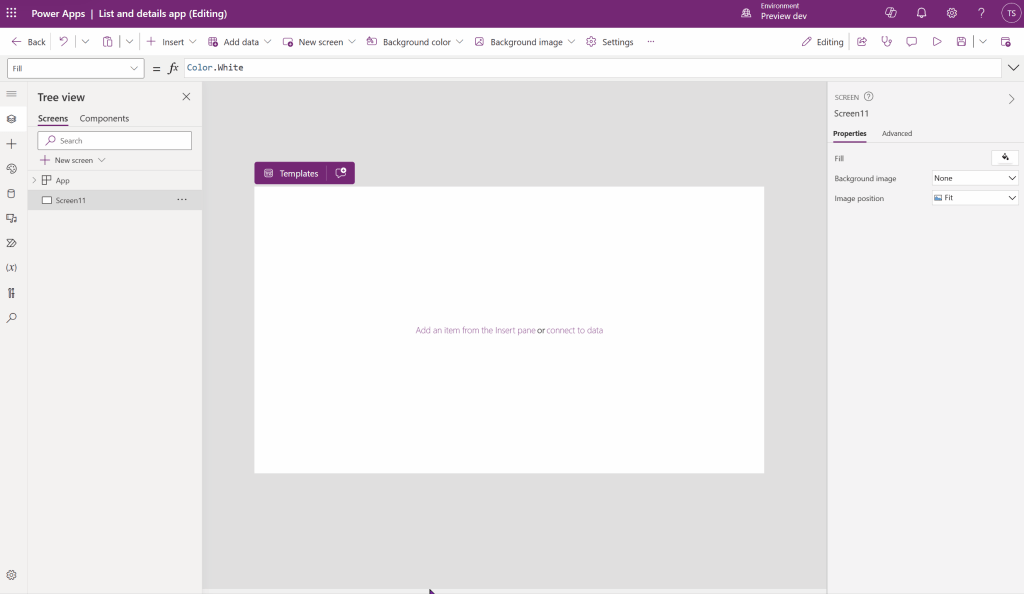
Introducing inline actions
We are pleased to introduce inline actions for Power Apps canvas apps – a new way to perform the most common authoring tasks directly inline on the canvas. Previously in order to do things like change the layout of a screen or connect a form or gallery to data, you had to know where to make these updates: either from the command bar, properties panes, or formula bar. Now we bring these common updates to the controls themselves in the inline action bar – reducing both cognitive load and mouse travel!
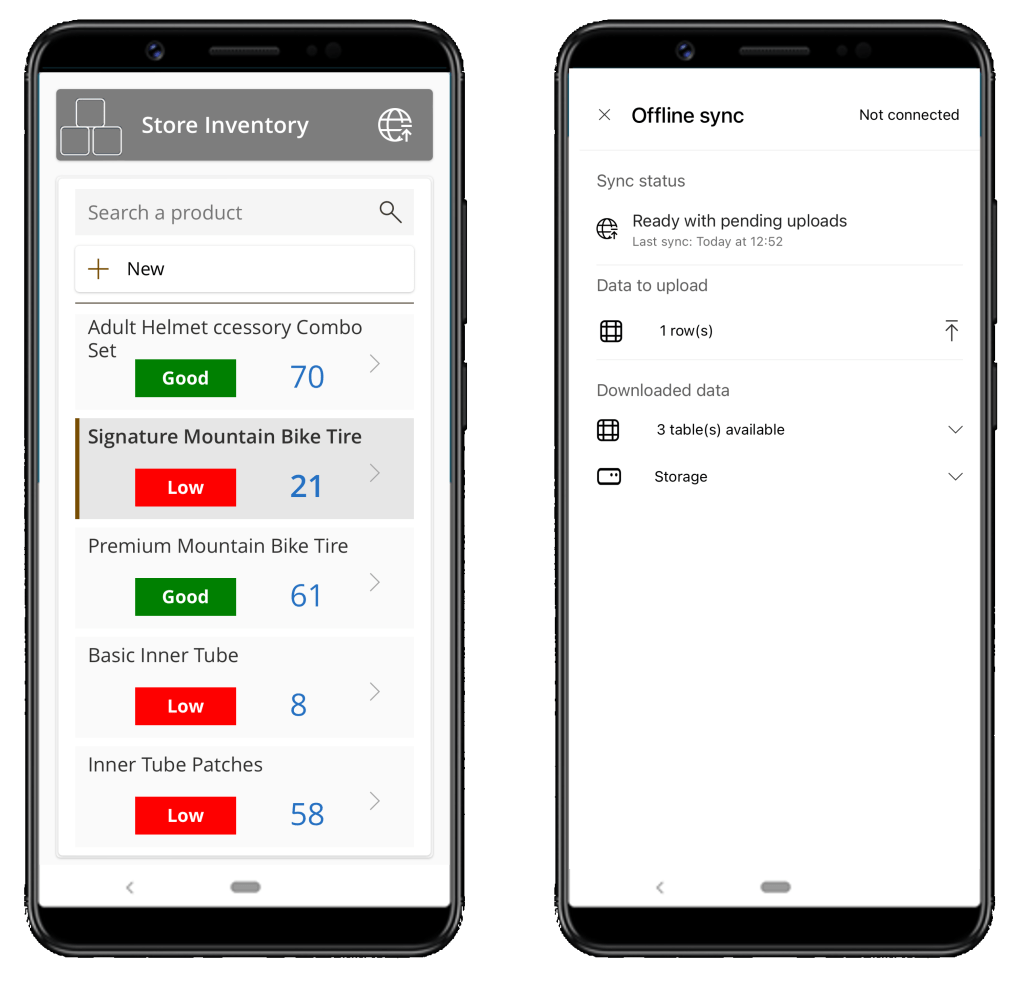
Announcing General Availability of built-in Dataverse offline for canvas apps
We are pleased to announce the General Availability of mobile offline support for canvas apps on iOS, Android and Windows devices. With the flip of a switch, your app can work with Dataverse data wherever you are–with or without network connection. Just build your app with standard Power Fx formulas and the offline feature handles all the complexity for you.
- Canvas offline apps are easy
- Canvas offline apps work in an “offline first” approach
- Out of the box support for Dataverse files and images
Microsoft Copilot and Power Apps transforming how people engage with apps
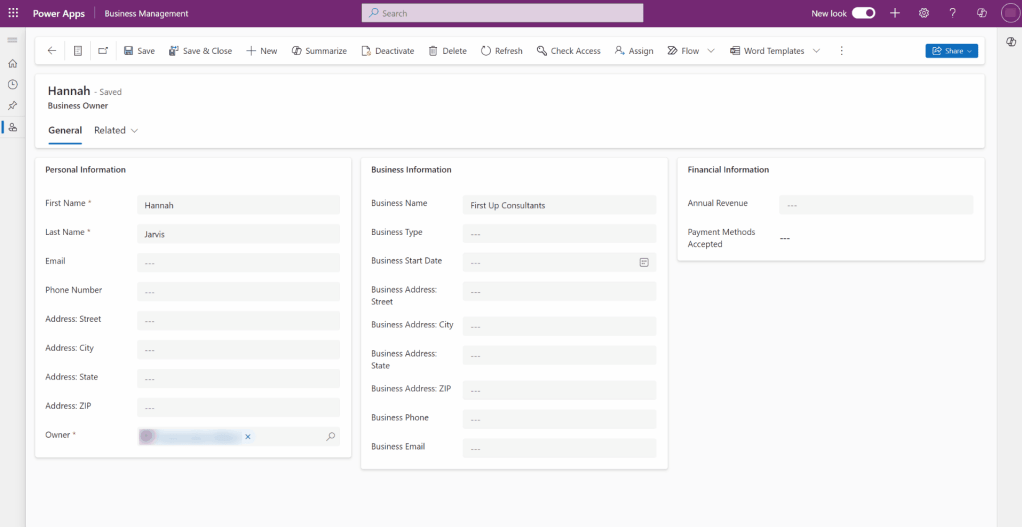
Microsoft Copilot is transforming the way people work: how developers write code, makers build apps, and IT admins manage security. For Power Apps, we are infusing AI into the apps people use every day – to request travel, manage inventory, register for a conference, or forecast sales – so they can work faster and smarter.
- Copilot assists filling out forms
- Draft text input with Copilot
- Insights with Copilot
Introducing new copilot answer control (Public Preview)
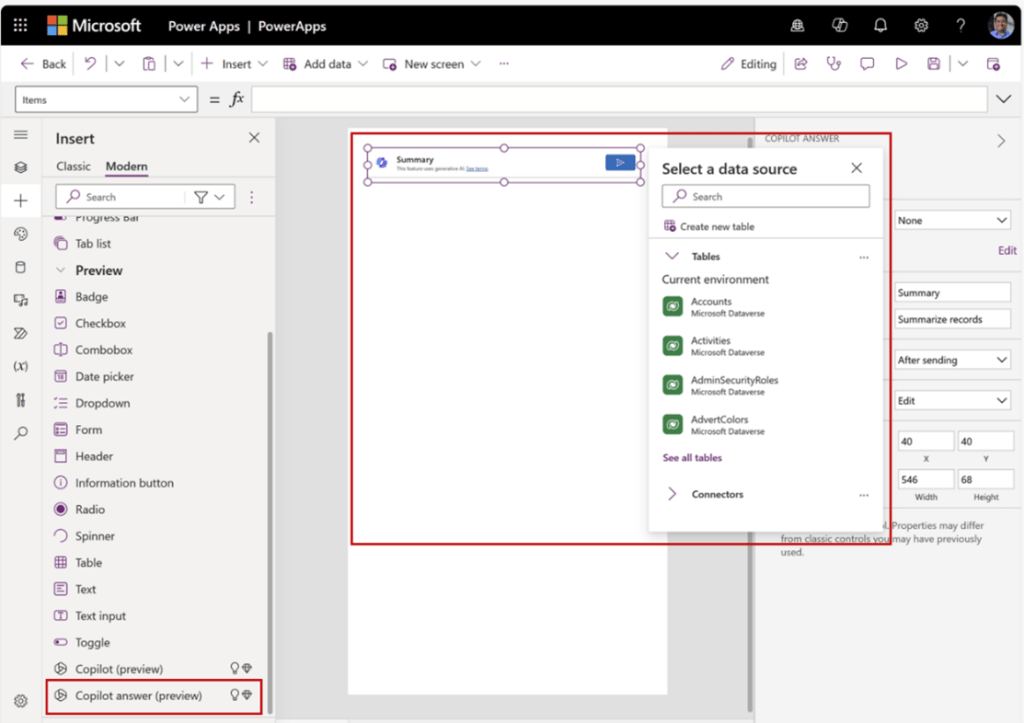
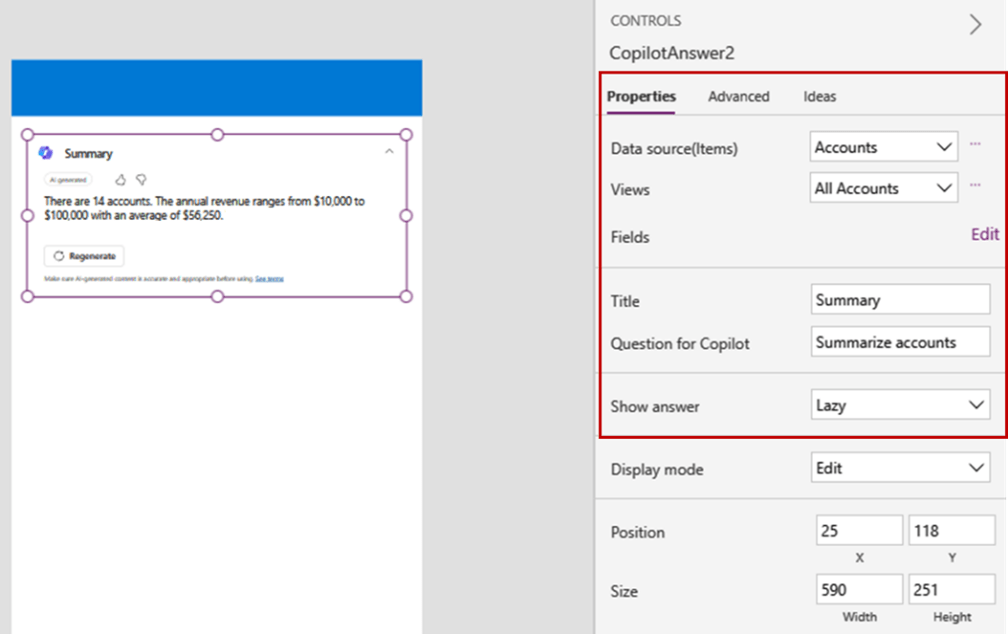
Add generative AI to your applications with copilot answer control. This control enables makers to set predefined prompt that end users can quickly use to get insights using a single click, powered by Microsoft Copilot. For example, if the source data is the daily schedule of an HVAC technician, and the preset question is “When is my next appointment?” the control will always show the time at which the next appointment starts. As the technician goes through their day and appointments get closed, the control will automatically update itself to reflect the time of the next appointment.

Introducing the modern list for Power Pages
We’re excited to announce modernization in data presentation on Power Pages sites with the availability of modern list in public preview, which offers refreshed visual appearance and enhanced performance compared to the classic list.
What does the modern list offer?
- Intuitive and visually refreshed UX: Visually refreshed OOB modern list.
- Better performance: Reduced loading time of the list and wait for the Power Pages site user.
- New loading experience: New loading animation before the modern list data displays.
- Infinite scroll: Content automatically loads at the bottom of the list when the users scroll.
- Inline filters: Filters are available by default for all columns in the list view.
- Low code styling: modern list can be styled via the Pages Studio using multiple properties in the design section at Standard, Header, and Row levels.
- Improved productivity: Styling used on a modern list can be copied and pasted for another modern list with simple steps.

March 2024 update of Power Automate for desktop
Key Features:
- Revamped variable picker and a new function picker
- IntelliSense capabilities are now available for Power Fx enabled desktop flows
- Cloud initiated runs of desktop flows now support minimum execution logs
- The Run URL of desktop flows can now include the Windows user to sign in
- Action ‘Clear cells in Excel worksheet’ has now been introduced
Introducing Power Fx in desktop flows
Power Fx is the low-code language, inspired by the Excel formula syntax, that brings the capabilities of logic expressions to Microsoft Power Platform. With Power Fx, you can express complex logic in a human-friendly text format, making it accessible to everyone.
By introducing Power Fx in desktop flows, billions of makers will feel right at home, being able to re-use knowledge from Excel formulas when creating expressions. Whether automating simple scripts or orchestrating complex processes, Power Fx enabled desktop flows empower makers to turn ideas into reality without tedious coding.
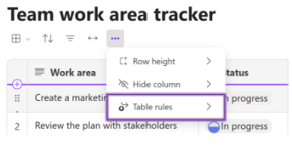
Simplify your work with Table rules in Microsoft Loop
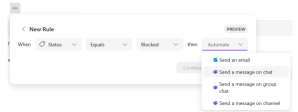
Do you want to better track team projects? With Loop, you can make rules that use Microsoft Power Automate to run tasks that take a lot of time and effort—so you can focus on more important and valuable work. Microsoft Loop is a new productivity tool that lets users work together and organize information flexibly.
You can also use Loop to run tasks automatically and save time, with its integration with Power Automate. For example, you can easily manage your team’s projects with the Power Automate. You can simply create a rule to send an email to your team when a new task is added to a certain project table in Loop.

Building your own copilot with Copilot Studio
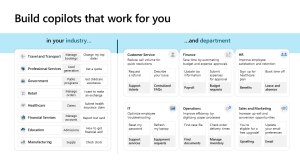
Learn how you can use Copilot Studio to build your own copilot, available on multiple channels, designed for your audiences, and tailored specifically to your business processes and workflows. Copilot for Microsoft 365 offers AI assistance to create, find, and ask for information across Microsoft 365 apps and provides a Copilot chat available across several employee experiences like Microsoft Teams, Windows, and Bing.
- How Copilot Studio works
- How Copilot Studio will evolve in the future
- What else can you do with Copilot Studio
- Get inspired with use cases
Troubleshoot – Generative answers don’t return results
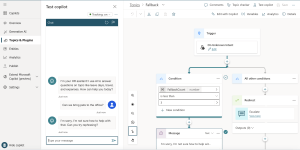
Generative answers allow makers to create copilots that respond to questions grounded in data sources, like public websites or SharePoint, by pointing the copilot at those data sources. However, sometimes the copilot doesn’t provide a response and instead returns something like ‘I’m not sure how to help with that. Can you try rephrasing?’
When a SharePoint or OneDrive data source is configured, there could be several different factors preventing generative answers from returning a response, such as the following potential factors:
- Search results are missing
- The user accessing the copilot doesn’t have sufficient permissions on the data source
- Files are larger than the 3 MB size limitation
- The app registration or the copilot are misconfigured
- Content blocked by content moderation

Building digital trust in Microsoft Copilot for Dynamics 365 and Power Platform
At Microsoft, trust is the foundation of everything we do. As more organizations adopt Copilot in Dynamics 365 and Power Platform, we are committed to helping everyone use AI responsibly. We do this by ensuring our AI products deliver the highest levels of security, compliance, and privacy in accordance with our Responsible AI Standard—our framework for the safe deployment of AI technologies.
Introducing timeline highlights powered by generative AI
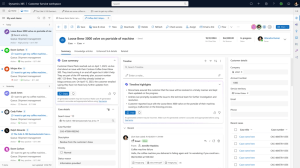
The timeline is a crucial tool for users to monitor customer engagements, track activities, and stay updated on record progress. With Generative AI, we’re introducing timeline highlights, enabling users to grasp activity details in milliseconds.
Agents save time with timeline highlights This new feature optimizes agent productivity, eliminating the need for excessive clicks and extra reading
Customize the Opportunity Close form in Dynamics 365 Sales
This enhancement streamlines your opportunity closing process. It takes the burden of manual data entry off your shoulders by automatically filling the Opportunity close form with the pertinent opportunity attributes. This means that less time is spent on manual data entry, ensuring your focus remains on nurturing relationships and growing your business.
Learning Corner
Curated Learning Collection: Microsoft Copilot for Dynamics 365

Explore Microsoft Copilot for Dynamics 365, which brings next-generation AI to every line of business. From having a dialog with data to boosting sales performance and creating a meeting summary email, learn all that Copilot can do for you and your organization.
Video Roundup
This content is brought to you by the Microsoft Customer Success Business Applications team. Interested in learning more about the services we offer? Get more information here!

Leave a comment