


March is here, bringing with it the promise of warmer weather, blooming flowers, and of course, the latest updates from Microsoft Power Platform and Dynamics 365. As we begin to bid adieu to the chilly winter months, it’s time to embrace the latest innovations and advancements in Microsoft business applications. So grab your favorite device, settle in, and let’s explore the latest featured news!
- Featured News
- Deprecations and Retirements
- Product Updates
- Monthly channel for model-driven power apps
- Power Apps February 2024 Update
- Use Code Explain feature to understand existing code using Copilot in Power Pages
- Power Automate – Custom processing for invoice and document field types
- February 2024 update of Power Automate for desktop
- Deploy a custom copilot to SharePoint
- Access audit data using Azure Synapse Link for Dataverse and Power BI
- What’s New in Sales Copilot – February 2024
- Dynamics 365 Sales: Enhanced overview for tracking features & settings
- Build your Copilot testing strategy in Dynamics 365 Customer Service
- Learning Corner
Featured News
Microsoft Business Applications Launch Event

Redefine what’s possible using AI
Wednesday, April 10, 2024 | 9:00-10:30 AM Pacific Time (UTC-7)
Join Microsoft product leaders and engineers for an in-depth look at the latest features in Microsoft Dynamics 365 and Microsoft Power Platform. Learn how advances in AI and Microsoft Copilot can help you connect teams, processes, and data, and respond to changing business needs with greater agility.

Microsoft Power Platform Conference
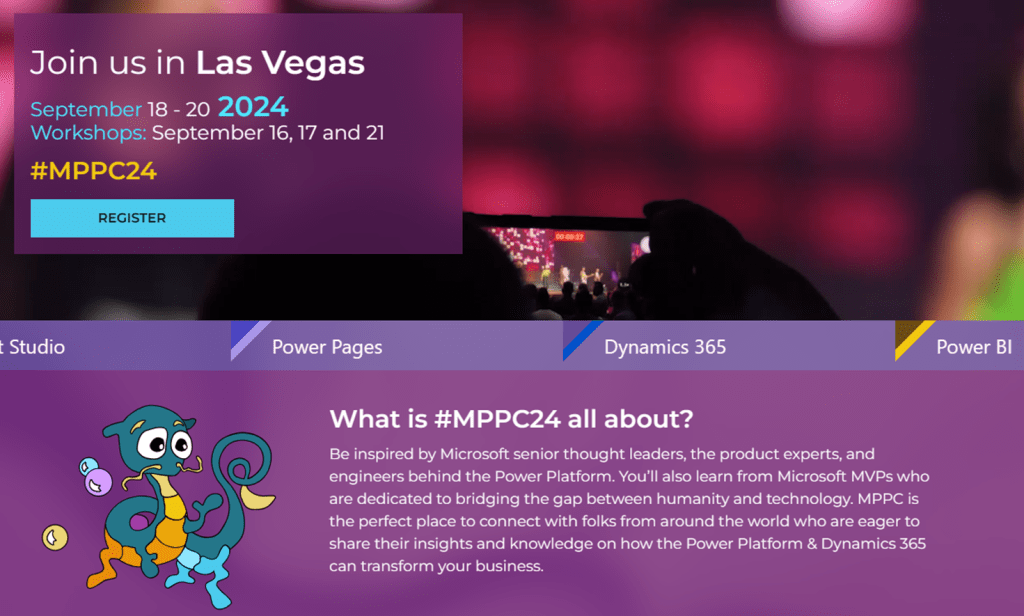
Learn more, including info about the Early Bird special!
Microsoft Build

Save the date
In Seattle and Online: May 21-23, 2024
Learn from experts, get hands-on with AI, and make connections with peers, Microsoft engineers, and industry leaders. Mark your calendar.
Deprecations and Retirements
Dataverse (legacy) connectors
Microsoft Dataverse (legacy) connector is deprecated and replaced with the Microsoft Dataverse connector. The legacy connector will continue to work in existing flows until a final date is announced in 2024. You’ll have one year from the date of announcement to move to the Microsoft Dataverse connector. For new and existing flows, customers should use the Microsoft Dataverse connector instead.
As of January 2024, most flows using the legacy connector are recommended for migration with the exception of flows using “When a row is selected” trigger or triggering based on changes in other environments. An update will be shared in March 2024 on the Public Preview and GA timelines for these to be supported in the Microsoft Dataverse connector.
Dynamics 365 for phones and tablets will be deprecated
Effective April 2024, Dynamics 365 for phones and tablets (iOS and Android) will be deprecated for online users. Online users must migrate to the Power Apps mobile app or appropriate Dynamics 365 mobile apps such as Dynamics 365 Sales mobile app or Field Service app. Dynamics 365 for phones and tablets will continue to function for existing installations until a retirement date is announced. The Power Apps mobile app provides updated capabilities, a modern user experience, and fast load times.
Model-driven app controls deprecation
Effective January 2023, the following controls for model-driven apps are deprecated: auto-complete, input mask, multimedia player, number input, flip, and star rating.
- Starting April 2023, these controls can no longer be added to forms.
- Existing control instances will work on existing forms until April 2024.
Omnichannel for Customer Service agent-facing app is deprecated and will be removed in June 2024
Effective April 2023, the Omnichannel for Customer Service agent-facing app is deprecated. Support is available until June 2024. We recommend that you migrate your omnichannel configuration to Customer Service workspace. More information: Migrate from Omnichannel for Customer Service to Customer Service workspace
Other Deprecation Articles
The list of deprecations and retirements above is only a partial set of announcements. Review the articles below for a full list of deprecations that may affect your environment.
Important changes coming in Power Apps portals.
Important changes (deprecations) coming in Power Apps and Power Automate
Deprecated features in Dynamics 365 Sales
Deprecated features in Dynamics 365 Customer Service
Deprecated features in Dynamics 365 Field Service
Deprecated features in Universal Resource Scheduling
Removed or deprecated features in Finance and Operations apps
Product Updates

Monthly channel for model-driven power apps
Microsoft provides new (and updated) features for your model-driven apps, on a regular basis. You can control how often the users in your organization get these new features by specifying the release channel in the Power Platform Admin Center. In addition to the typical semi-annual release via release waves, you can now alternatively choose monthly release.
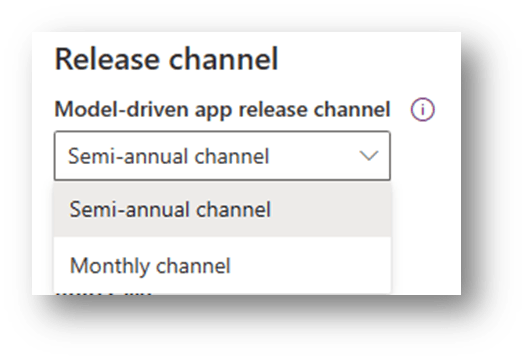
- Model-driven apps running in Power Platform environments with the app release channel value of Auto will use monthly channel starting with 2024 release wave 1.
- Apps in Dynamics 365 enabled environments with the app release channel value of Auto will continue to use semi-annual channel until the 2024 release wave 2.
Learn more about upcoming changes in 2024 Release Wave 1
Learn more about changing release channels and validating the next monthly release
Power Apps February 2024 Update
Trust
- Access Dataverse audit log using Synapse and Power BI is now generally available.
- Announcing preview for blocking unmanaged customizations
Maker Productivity
- Building new apps and tables with Maker Copilot is now available in 8 languages worldwide
- Power Platform Prompts Library
- Add new Power Platform Dataflows to Solutions
- Call SQL Server stored procedures directly in Power Fx
End User Productivity
- Draft with Copilot in canvas apps
- General Availability for Shared Device Mode for Power Apps on iOS
- Introducing Copilot assistance for filling forms in model-driven apps

Use Code Explain feature to understand existing code using Copilot in Power Pages
Copilot in Power Pages for Visual Studio Code is a chat-based assistant that helps you write and optimize code. The Explain code feature support will allow you to ask Copilot to explain the meaning and functionality of Power Pages code snippet.


Power Automate – Custom processing for invoice and document field types
AI Builder’s latest capabilities allowing automated custom invoice processing and the extraction of dates and numerical field types from documents, are generally available
Invoice Customization Benefits: AI Builder’s pre-configured AI model can now be customized to extract additional fields from invoices, streamlining the training process.
Document Field Types Feature: The introduction of typed fields feature allows for more precise extraction of numbers and dates, improving document processing workflows.

February 2024 update of Power Automate for desktop
Picture-in-Picture run mode is now available in preview – Run local attended desktop flows within a virtual window that replicates the desktop
Power Fx now supports interpolated strings in Power Automate for desktop – Use Power Fx expressions directly into inputted text by using string interpolation

Deploy a custom copilot to SharePoint
A code sample demonstrating how to publish a custom copilot to a SharePoint site, with a seamless single sign-on experience.


Access audit data using Azure Synapse Link for Dataverse and Power BI
Customers who use Azure Synapse Link for Dataverse can export audit logs easily to meet the external and internal auditing, compliance, security, and governance policies that are common to many enterprises.
Prerequisites
- An Azure subscription with admin permissions to create resource groups, workspace, and other Azure assets. More information: Create an Azure Synapse Link for Dataverse with your Azure Synapse Workspace
- You must have the Dataverse system administrator security role.
- Power BI.
What’s New in Sales Copilot – February 2024
Enable collab spaces creation and access from lists and cards for Account and Opportunity records
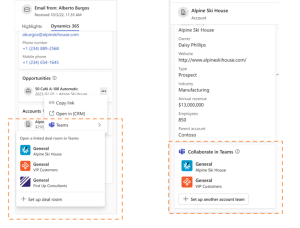
Copilot for Sales Tip Time can serve as a foundation for your training of Copilot for Sales users, customers, or partners! This content includes use cases and demonstrates how each feature will benefit sellers, administrators, and sales managers.
Dynamics 365 Sales: Enhanced overview for tracking features & settings
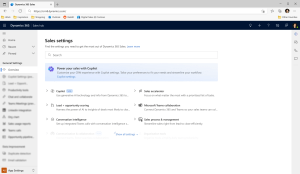
Introducing a new overview page, complete with advanced search functionalities and feature notifications, promises to simplify the journey of adopting new features, swiftly placing them at the fingertips of sellers.
Build your Copilot testing strategy in Dynamics 365 Customer Service
As Microsoft continues to invest in AI technologies across Dynamics 365 and Power Platform, many enterprise organizations are rapidly adopting Copilot in Microsoft apps such as Dynamics 365 Customer Service. Unlike solutions in other business areas, customer service solutions are particularly sensitive.
Copilot business value
Defining success metrics
Test and optimize Copilot
Learning Corner
Microsoft Certified: Power Platform Fundamentals

The Microsoft Certified: Power Platform Fundamentals certification could be a great fit for you, if you’d like to:
- Demonstrate knowledge in building solutions with Microsoft Power Platform.
- Show familiarity in automating basic business processes with Power Automate and in creating simple Power Apps experiences.
- Highlight familiarity in performing data analysis with Power BI and in building practical chatbots with Microsoft Copilot Studio.
Microsoft Power Platform Stories
This blog post includes a set of Power Platform stories curated by the Power CAT team. The stories showcase the ingenuity of individuals and organizations that have adopted low-code using Microsoft Power Platform along with Microsoft 365, Azure, and Dynamics 365 to digitally transform their business.
Video Roundup
This content is brought to you by the Microsoft Customer Success Business Applications team. Interested in learning more about the services we offer? Get more information here!

Leave a comment