

Introduction:
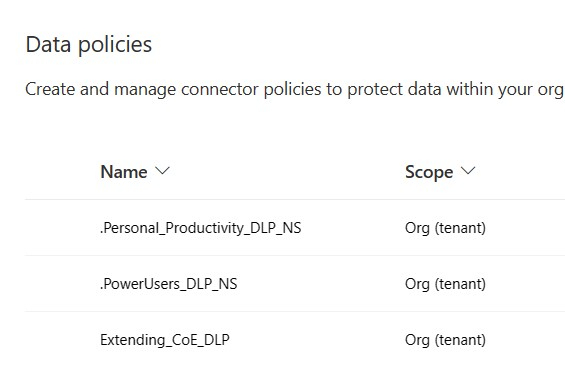
In the dynamic landscape of the Power Platform, organizations are harnessing its capabilities to boost efficiency and streamline business processes. However, the power to innovate comes with the responsibility to secure sensitive data. Enter Data Loss Prevention (DLP) policies – the unsung heroes ensuring the integrity and security of your organization’s digital assets.
The Importance of DLP Policies in Power Platform:
1. Protecting Sensitive Data:
DLP policies act as a robust defense against unintentional or malicious sharing of sensitive information, preserving the confidentiality of critical data within the Power Platform ecosystem.
2. Maintaining Data Flow Control:
By defining rules and conditions, organizations can control the flow of data, preventing leaks and ensuring that information is shared only within the permissible boundaries.
3. Enhancing Security Posture:
DLP policies contribute to an organization’s overall security posture by proactively addressing potential vulnerabilities and minimizing the risk of data breaches.
Why Consider a DLP Policy Strategy Per Environment?
1. Customized Controls for Unique Environments:
Different environments within the Power Platform serve unique purposes, and data within them may have varying sensitivities. Implementing a DLP policy strategy per environment allows organizations to tailor controls based on specific needs, enhancing security where it matters most.
2. Scalability and Adaptability:
A per-environment DLP strategy ensures scalability and adaptability as organizations grow. Tailored policies streamline management and facilitate adjustments to evolving business requirements, making it easier to manage expanding Power Platform usage.
3. Granular Oversight and Management:
Implementing DLP policies per environment provides granular oversight into data usage and potential risks. Administrators can manage and monitor data protection measures more effectively, addressing issues at a localized level.
The Benefits of Different DLP Groups for Power Platform Connectors:
1. Optimized Connector Management:
Power Platform connectors facilitate seamless integration with external services. Having different DLP groups for connectors enables organizations to optimize their management, ensuring that only authorized connectors are used in specific environments.
2. Reduced Exposure to Unnecessary Risks:
Creating DLP groups for Power Platform connectors allows organizations to restrict the usage of connectors with sensitive data access to only the environments where they are necessary, minimizing exposure to unnecessary risks.
3. Efficient Resource Utilization:
DLP groups for connectors enhance resource utilization by aligning connector usage with specific environment requirements, preventing the inadvertent use of connectors that might pose security or compliance concerns.
The Importance of Monitoring DLP Policies: Insights through Reports
4. Monitoring and Reporting for Continuous Improvement:
Deploying Data Loss Prevention (DLP) policies is just the beginning; the key to maintaining a robust security posture lies in continuous monitoring and analysis. Regularly assessing the effectiveness of your DLP policies provides valuable insights, allowing organizations to adapt to evolving threats and business needs.
5. Utilizing Reports for Informed Decision-Making:
Monitoring DLP policies through comprehensive reports is crucial for informed decision-making. Reports offer a visual representation of policy enforcement, revealing patterns, trends, and potential areas for improvement.
6. PowerShell Script for DLP Policy Assessment:
Leveraging automation is a powerful strategy for efficient policy monitoring. The following PowerShell script retrieves DLP policies assigned to Power Platform environments, offering a clear snapshot of their distribution and effectiveness.
Power Shell Script to generate a DLP Report:
$dlpPolicies = Get-AdminDlpPolicy
$environments = Get-AdminPowerAppEnvironment
$results = $dlpPolicies | ForEach-Object {
$displayName = $_.DisplayName
$_.Environments | ForEach-Object {
$environmentId = $_.id -replace “/providers/Microsoft.BusinessAppPlatform/scopes/admin/environments/”, “”
$environmentDisplayName = ($environments | Where-Object {$_.EnvironmentName -eq $environmentId}).DisplayName
if ([string]::IsNullOrEmpty($environmentDisplayName)) {
$environmentDisplayName = “Not Available, CHECK IF ENVIRONMENT STILL EXISTS”
}
[PSCustomObject]@{
“DLP DisplayName” = $displayName
“Environment ID” = $environmentId
“Environment Display Name” = $environmentDisplayName
}
}
}
# Export the results to a CSV file
#$results | Export-Csv -Path “PowerPlatform_DLP_Environments.csv” -NoTypeInformation
# If you want to see the table in the console as well
$results | Format-Table -AutoSize
7. Key Takeaways from the Script:
- The script provides a concise overview of DLP policies, their display names, and the environments to which they are assigned.
- It dynamically retrieves environment display names, making it adaptable to changes in the Power Platform environment structure.
- The exported CSV file offers a structured dataset for in-depth analysis, helping export the data to be analyzed outside of PowerShell.
8. Benefits of Reporting:
- Visibility and Transparency: Reports offer a clear view of how DLP policies are distributed across environments, enhancing visibility for administrators.
- Proactive Issue Identification: The script identifies environments where DLP policies might not be properly assigned, enabling proactive issue resolution.
- Data-Driven Decision-Making: Reports provide data-driven insights for refining DLP policies, ensuring they align with organizational goals and security best practices.
In conclusion, monitoring DLP policies through reports, coupled with the use of tools like the PowerShell script provided, is essential for maintaining a secure and compliant Power Platform ecosystem. Regular assessment and adaptation of DLP policies empower organizations to stay ahead of potential risks and make informed decisions to safeguard their valuable data.

Leave a comment