

Hello Power Platform Administrators,
In the ever-evolving world of technology, the ability to generate cross-tenant reports is becoming increasingly important. Microsoft’s Power Platform API offers a solution to this need. This blog post will guide you through the process of using the Power Platform API to create cross-tenant reports.
Introduction
Cross-tenant reporting is a handy feature that lets you, as a Power Platform admin, create a report that includes the tenant ids from other tenants connected to your main tenant through Power Platform.
This means you can see if your makers are collaborating on low-code projects with people outside of your tenant. It’s like having a bird’s eye view of how your resources are being used externally.
And the best part? You have control over these connections. You can choose to limit connections to external tenants if needed. But before making such decisions, it’s important to understand how Power Platform is being used across your organization. And that’s where this report comes in handy!
Using Power Platform API
The Power Platform API is a versatile tool that can be used to create cross-tenant reports. This API is currently in preview and may undergo changes in the future.
Step-by-Step Guide to Cross-Tenant Reporting
First, you need to authenticate using the Power Platform API. This can be done using a PowerShell script. Please note that only users with Global administrator and Power Platform administrator Entra ID roles have permission to run the tenant isolation impact report.

Next, you can create a report using another PowerShell script. Keep in mind that you can only create one report per tenant per calendar day.

Finally, you can list all of the available reports for your tenant using a third PowerShell script.

Step 4: Fetching a Single Report
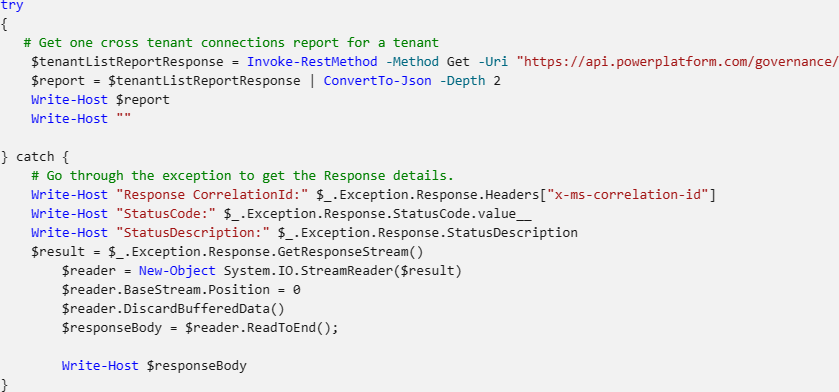
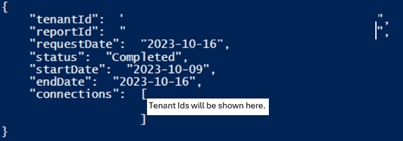
Lastly, you can fetch a single report for your tenant about connections used within the tenant using a PowerShell script. Generating a report takes a couple minutes before it becomes available.

Conclusion
Cross-tenant reporting is a key feature for those overseeing Power Platform and managing the links with external tenants.
If you need more details or assistance on how to create these reports or implement governance strategies, don’t hesitate to get in touch with your Business Applications Cloud Solution Architects.


Leave a comment